
Case study · White villa with planted terraces and a pool
The garden villa and the dog
A reference shot indoors with the wrong dog, moved outside to a villa garden and recast in plain words: shirt buttoned, shih tzu jumping for the ball.
- First session
- 3 min
- Runs
- 6
- Key visuals
- 8
- Credits
- 960
In short
This key visual was made from one CGI render of a white villa with planted terraces and one reference photo of a man playing with a big brown dog indoors. VantageKV moved the moment outside to the villa’s pool terrace, then recast it in plain words: “make the dog a shih tzu”, “close his shirt”, “jumping to catch the ball”. The first version took about 3 minutes of focused work; the whole study is 6 runs and 960 credits.
What went in


The first thing typed
“Take the light, mood, photography style and action from the reference. make the dog a shih tzu”
Word for word, typos and all. Claude turned it into a full art direction from the render; the building itself was never described.
- Building
- White villa with planted terraces and a pool
- Look
- Editorial, then Film stock
The session
Every run, in the words that made it.
0 min
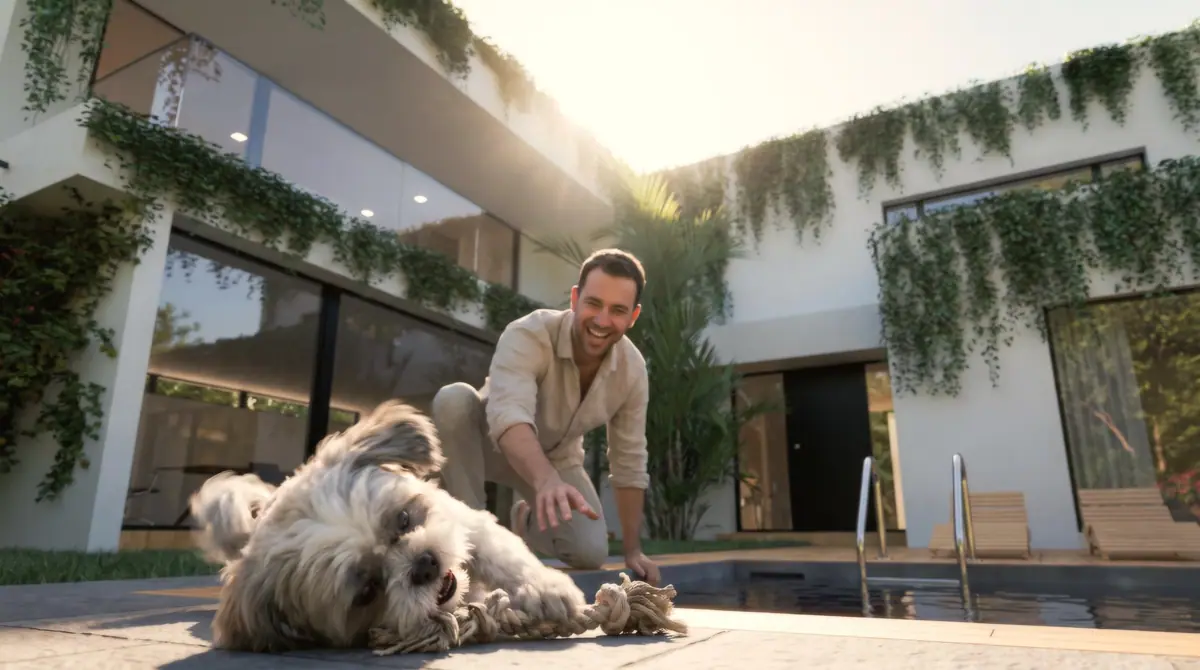
“Take the light, mood, photography style and action from the reference. make the dog a shih tzu”
The reference was indoors, with a big brown dog. The play, the low camera and the warmth came across; the room and the dog did not.
2 min
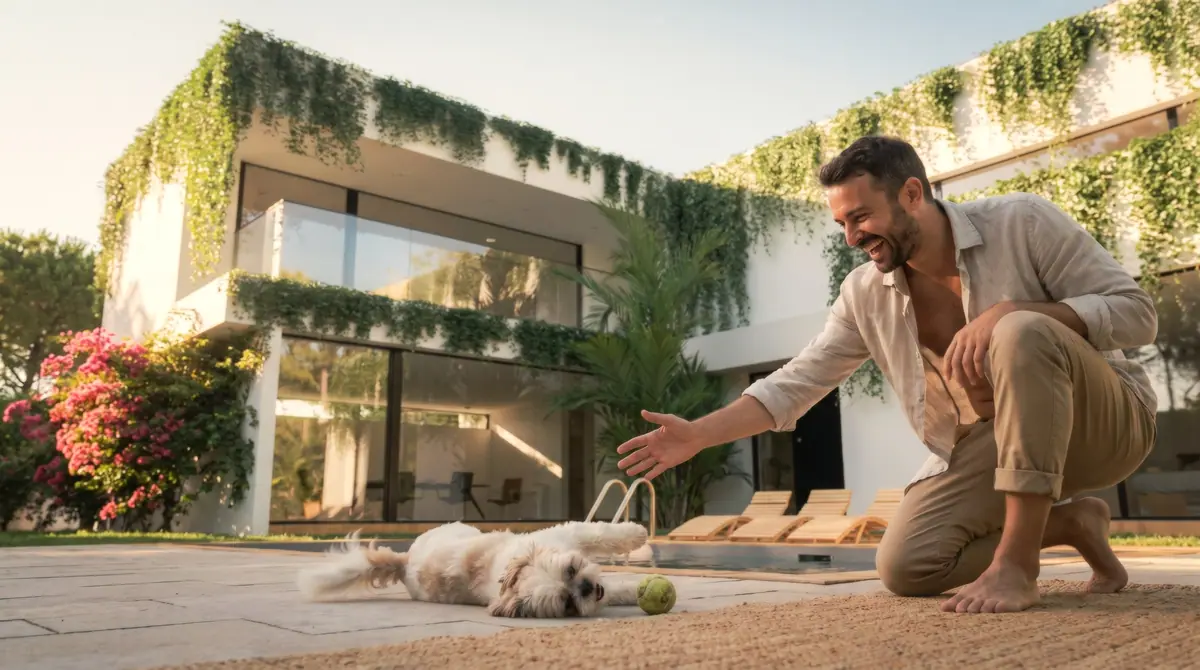
“make the dog a shih tzu, make it happy and playful”
Switched to the Film stock look for a warmer, grainier grade. Better, but the open shirt was not right for the brand.
Three days later
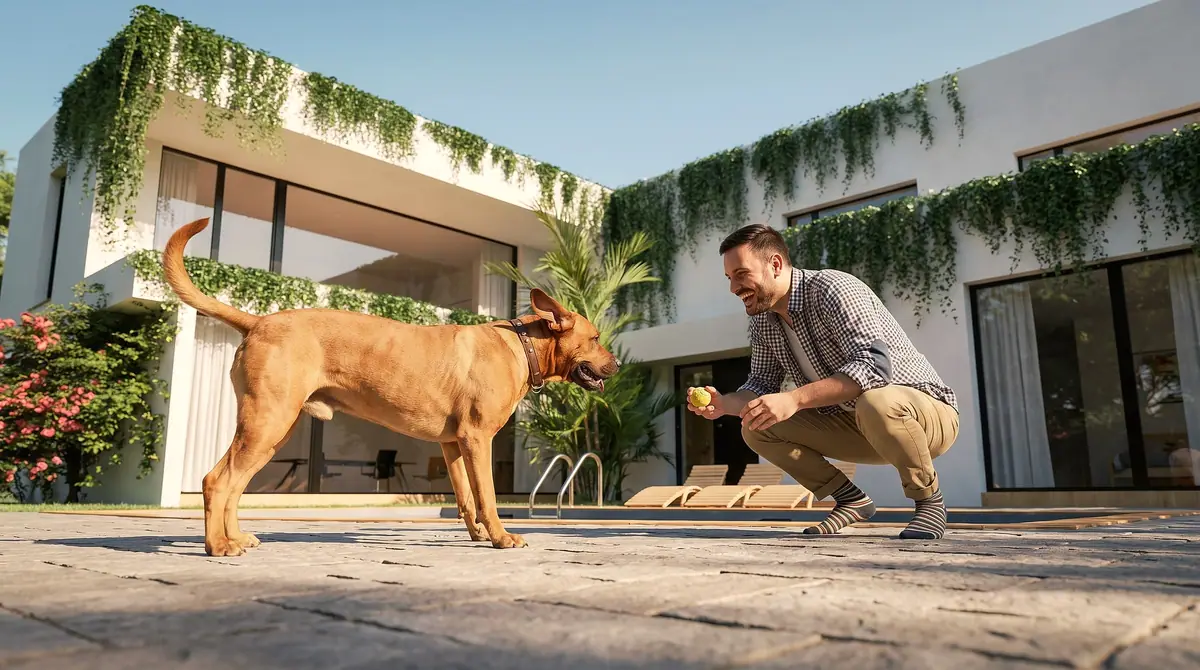
“close his shirt, make the dog standing and happy”
Morning light from the time of day strip. Asking for a standing dog brought the reference's breed back, so it was specified again.
Same session
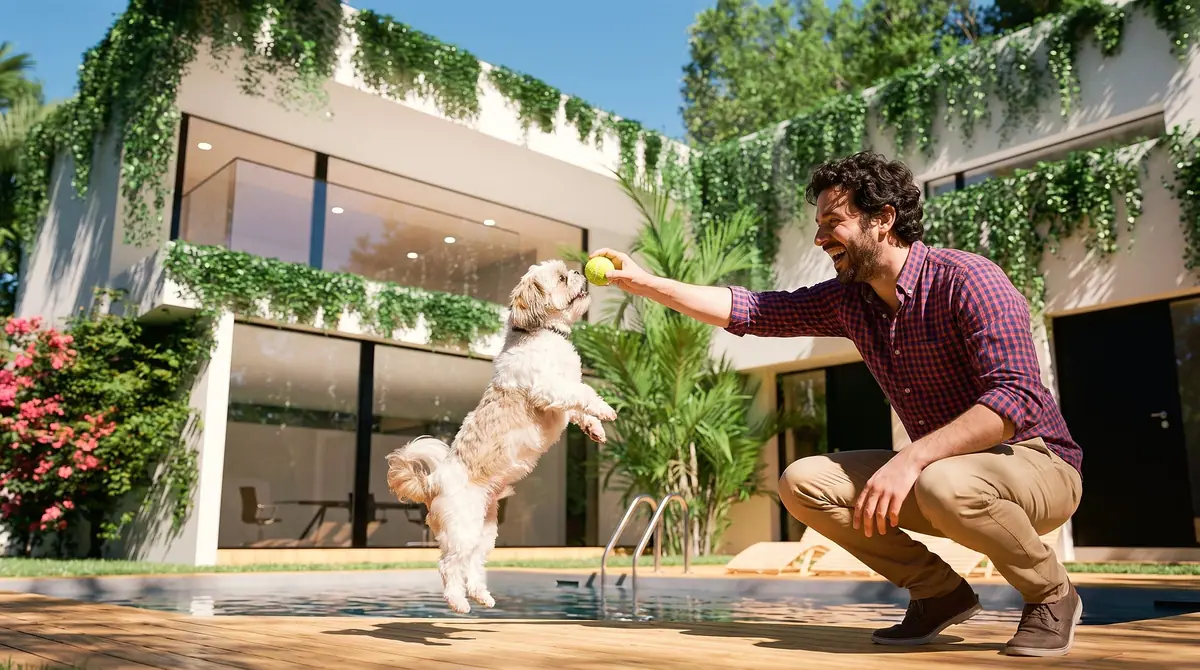
“close his shirt, make the dog a shih tzu, jumping to catch the ball”
The hero. The dog in the air, the ball an inch from its mouth, the villa sharp behind them.


Before a credit was spent
The art direction, in five lines anyone can check.
Claude writes a full art direction for the image model, and the Studio shows it back as five plain lines. Any line can be switched before rendering. These are the five lines behind the final key visual.
- Camera
- almost on the ground, wide, looking up
- People
- one man playing with a small dog
- Light
- mid morning sun, crisp and clear
- Motion
- dog mid jump, slight paw blur
- Colour
- warm film tones, soft greens
The campaign
One session. Everywhere the launch runs.
The garden villa and the dog
Register your interest
Site hoarding, 21:9
Stories, 9:16
Feed post, 1:1

The residence
The garden villa and the dog

Brochure spread, 3:2
Layouts are mockups built from this session’s frames, cropped to fit. In the Studio every format, 21:9, 9:16, 1:1 and 3:2, is rendered at its own shape, so nothing important is cut off.
What made it work
01
Recasting is a sentence.
The breed, the shirt and the action all changed by asking, with no reshoot and no retouching.
02
Say everything you still want.
When the dog stood up it went back to the reference's breed, because the brief no longer named it. Keeping every wish in the brief keeps every wish in the image.
03
Pets sell homes.
A garden is a list of square metres until something plays in it.
Questions
What people ask about shots like this.
Can I change a person’s clothes in an AI key visual?
Yes. Adding “close his shirt” to the brief gave him a buttoned shirt in every frame after it, while the villa, the pool and the play stayed the same.
Can I change the breed of a dog in the image?
Yes. Name the breed in the brief. The reference had a large brown dog; “make the dog a shih tzu” swapped it while keeping the play and the camera.
Why did the dog change back to the reference breed?
Because a later brief stopped naming the breed. Anything the brief does not say comes from the reference, so keep every wish in the brief.
Can the scene move from indoors to outdoors?
Yes. The reference supplied the action and the low camera; the render supplied the place. The indoor play became a garden scene at the villa’s pool.

Try it on your own render. Free.
Next case study
All case studies